Marketing content
Turn useful content into an introduction.
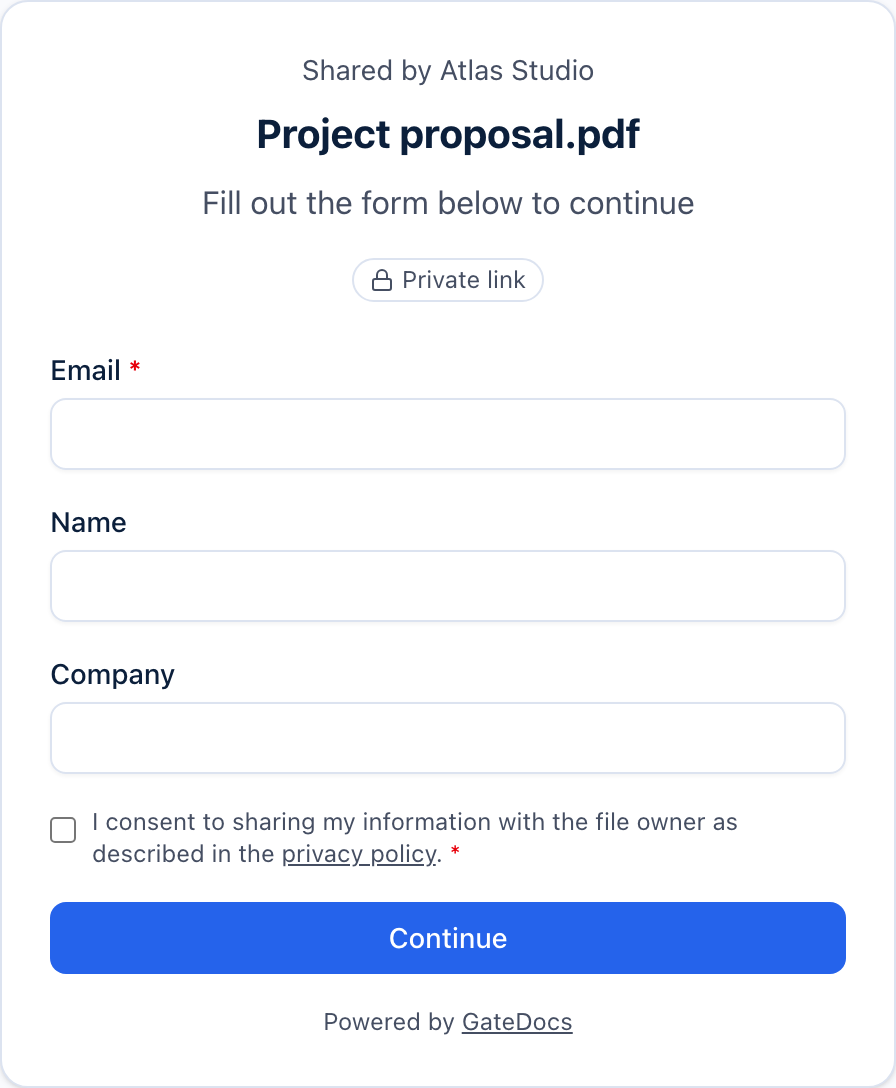
Give your report, guide or whitepaper a simple access form. Collect the details you need to begin a relevant conversation.
Lead capture on Free. Custom branding on Pro. Webhooks on Business.
01
Ask for what matters.
Email is required on a lead capture form. Choose whether to add name, company or job title. GateDocs hosts the form and file together, so you can share one link.
02
Take the contact with you.
Export available leads as a CSV for your existing workflow. Business adds signed webhooks and API access for connecting GateDocs to your other tools.
03
See which files start conversations.
Compare recorded views, downloads and submitted forms. Contact details come from those forms; other views can be anonymous. Use the results to decide which content to develop next.
A little more detail
Good questions.
How does GateDocs help with marketing content?
Upload your content, choose lead capture and select the details to collect. Visitors submit the form before access, and the submitted details appear as leads in GateDocs. They do not need an account.
What plan do I need for marketing content?
Lead capture is on every plan. Free includes 3 gated links and 50 leads a month. Pro and above removes those lead limits and adds your logo, colours and custom domain. Business adds webhooks and API access. Compare plans for current prices in your currency.
See current pricingCan I connect GateDocs to my CRM?
You can export available leads as a CSV. For an automated connection, Business provides signed webhooks and a REST API. You or your integration tool need to connect these to your CRM; GateDocs does not include a native CRM sync.
Read the API reference