Document analytics
The next conversation starts here.
See what happens after you share. Bring views, downloads and contact details from submitted forms into your follow-up.
Start with document activity on Free. Full analytics on Pro and above.
01 / Notice the activity
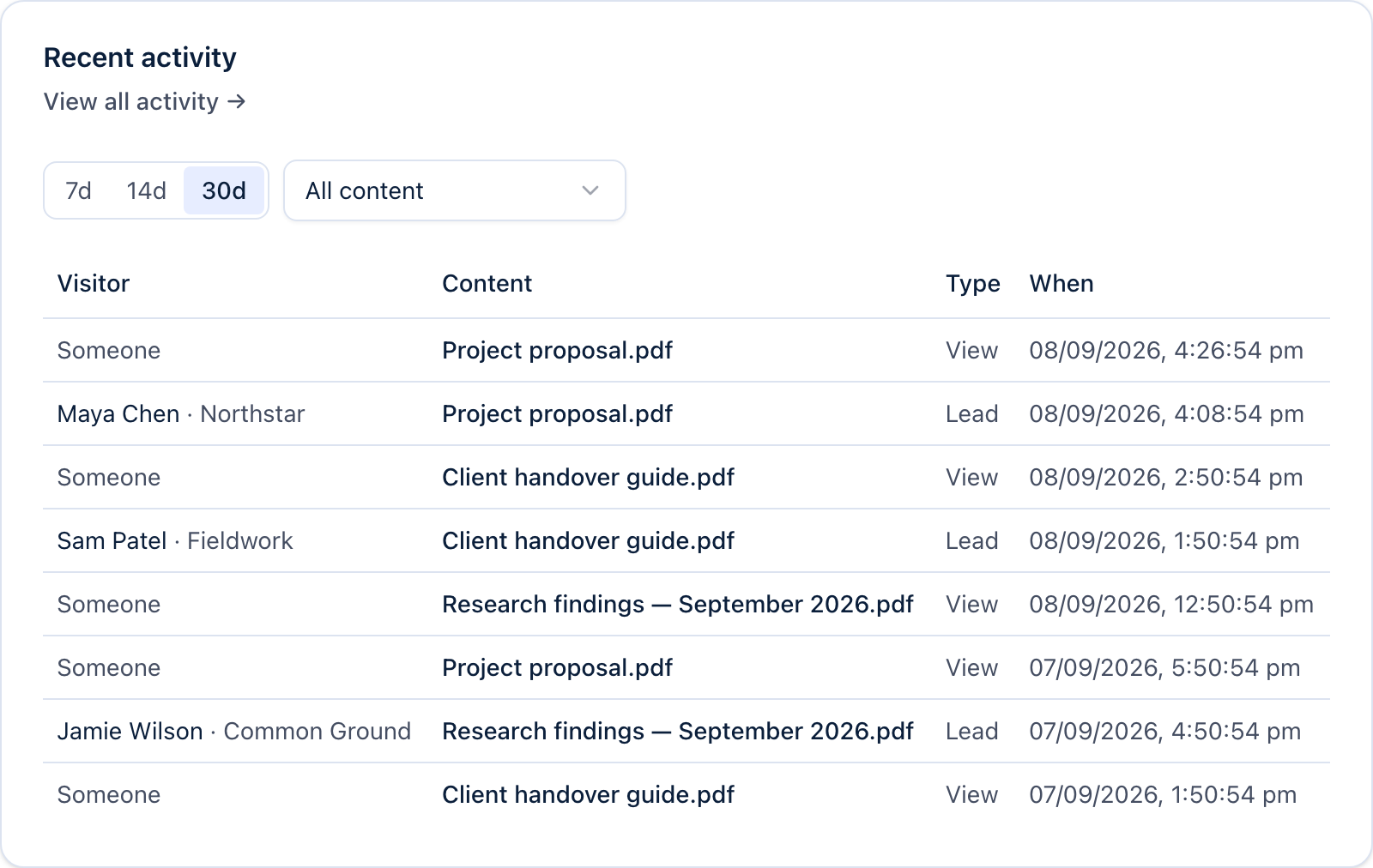
See which files get attention.
Check visits to your shared file pages and recorded downloads. Use the activity alongside your own knowledge of the project to decide where to follow up.
02 / Add the context
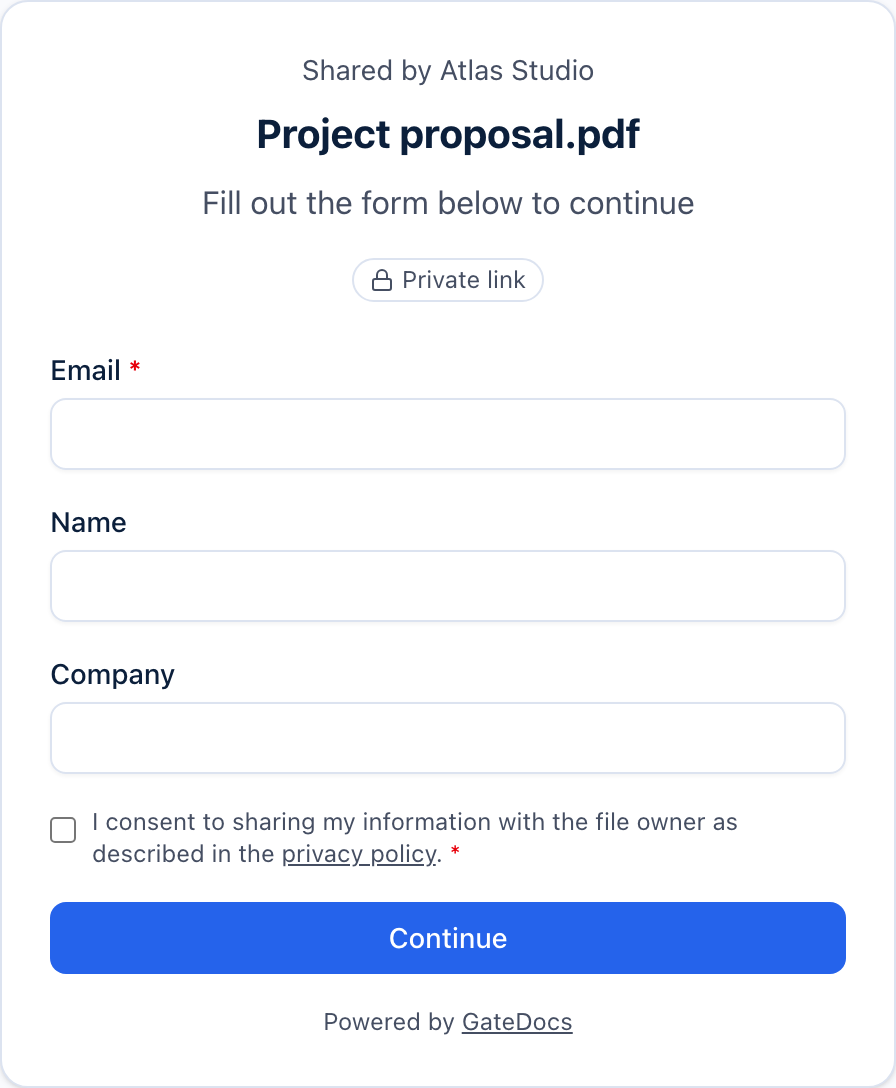
An introduction, when they make one.
Use a lead capture form to ask for the details that matter to you. Submitted forms create contacts you can follow up with. Other visits may remain anonymous.
03 / Take the next step
Make the follow-up useful.
A form submission can be a good moment to offer help. A download can prompt a project check-in. Use the activity as context for a conversation, rather than assuming it tells the whole story.
A little more detail
Good questions.
What does a view measure?
Views record visits to a shared file page. They do not prove that someone read the document, and they can be anonymous. Downloads and submitted forms are separate recorded actions.
Can I see who viewed a document?
Contact details come from submitted forms. GateDocs does not identify every visitor. A view alone should not be treated as a named person opening or reading your file.
Is page-by-page PDF analytics available?
GateDocs does not currently report individual PDF page views or reading time. The current analytics covers document-level visits, downloads and submitted forms.
Can I try lead capture on Free?
Yes. Free includes 3 lead-capture links and 50 leads a month. Pro and above removes those lead limits and includes full analytics.