Gated document sharing
Documents that
open doors.
Share sensitive files through a simple link. Collect contact details before access, and track views and downloads so you can follow up with context.
No credit card required.
Recipients don’t need a GateDocs account.
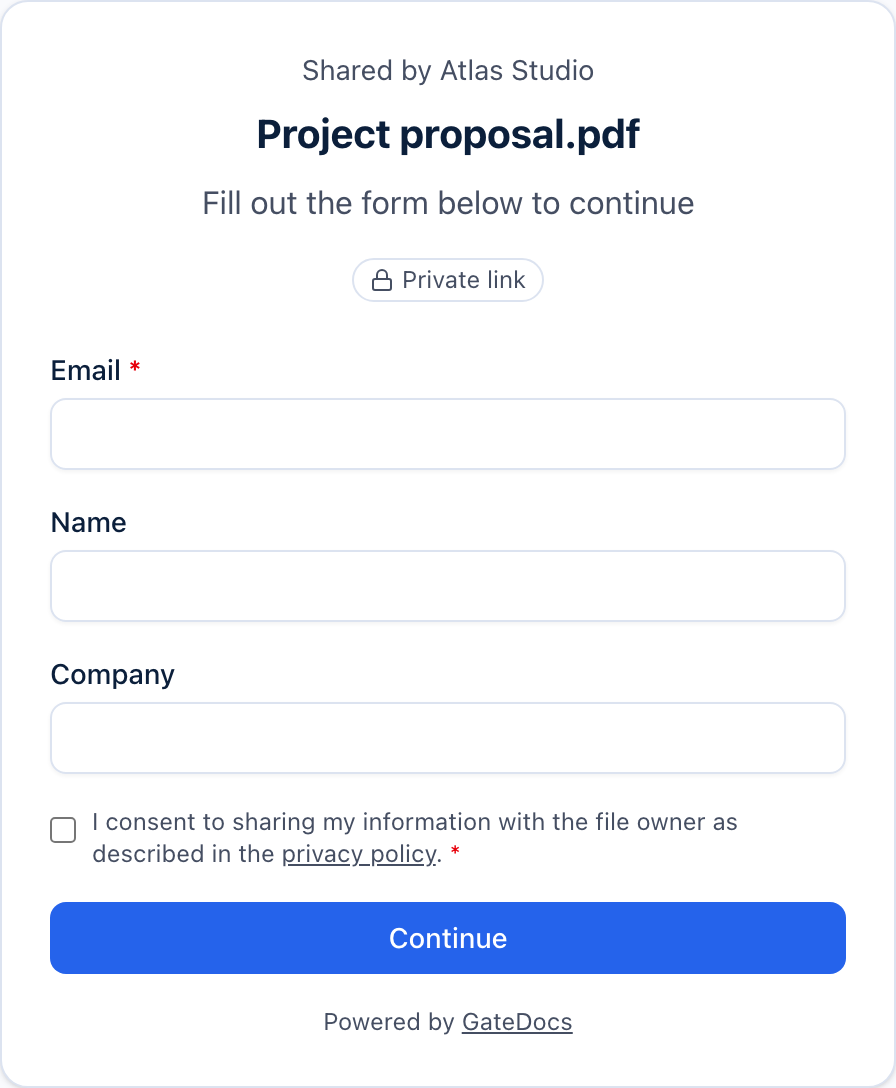
Good work. All together.
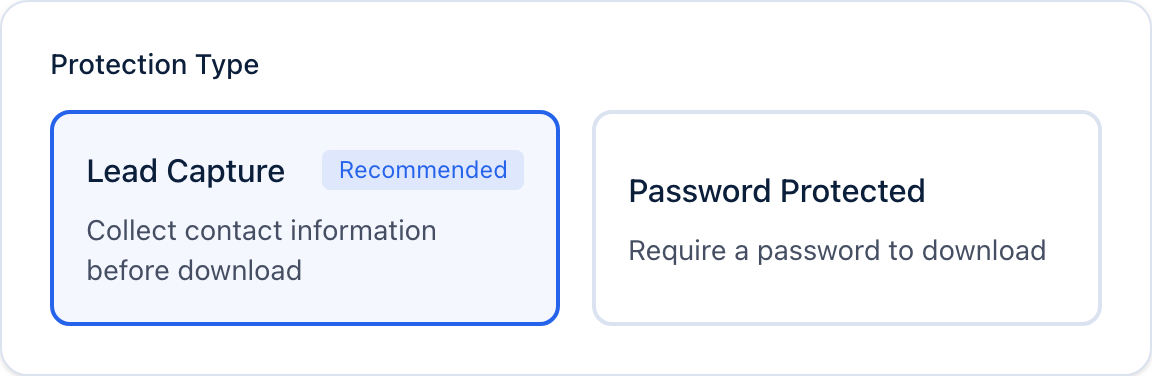
Your link. Your terms.
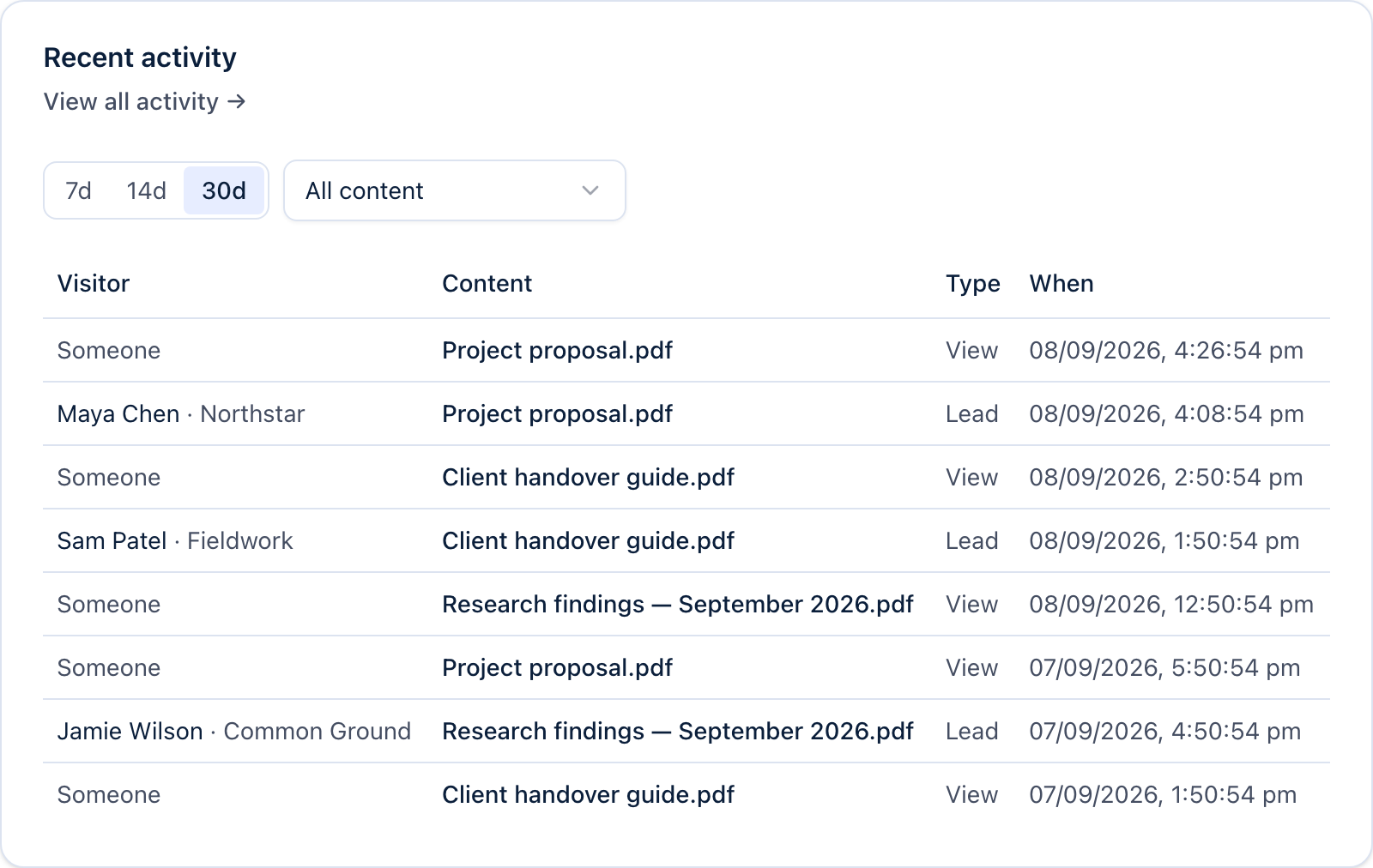
Send. Learn. Follow up.
Capture contacts
Choose the details to collect before someone opens your file.
See what happens
Track views and downloads, with contact details from submitted forms.
Control access
Set a password, expiry or download limit. Turn a link off any time.
Share your brand
Use your logo, colours and domain for a familiar recipient experience.
Pro and above
From send to next step
A simple link. A clearer next step.
Less back-and-forth.
More time for the work that matters.
Choose a step to take a look.
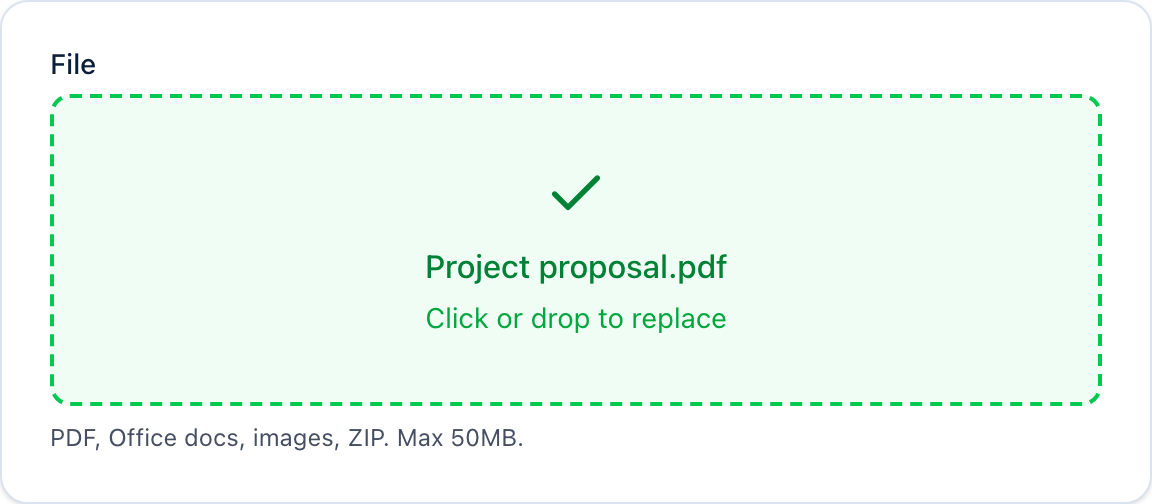
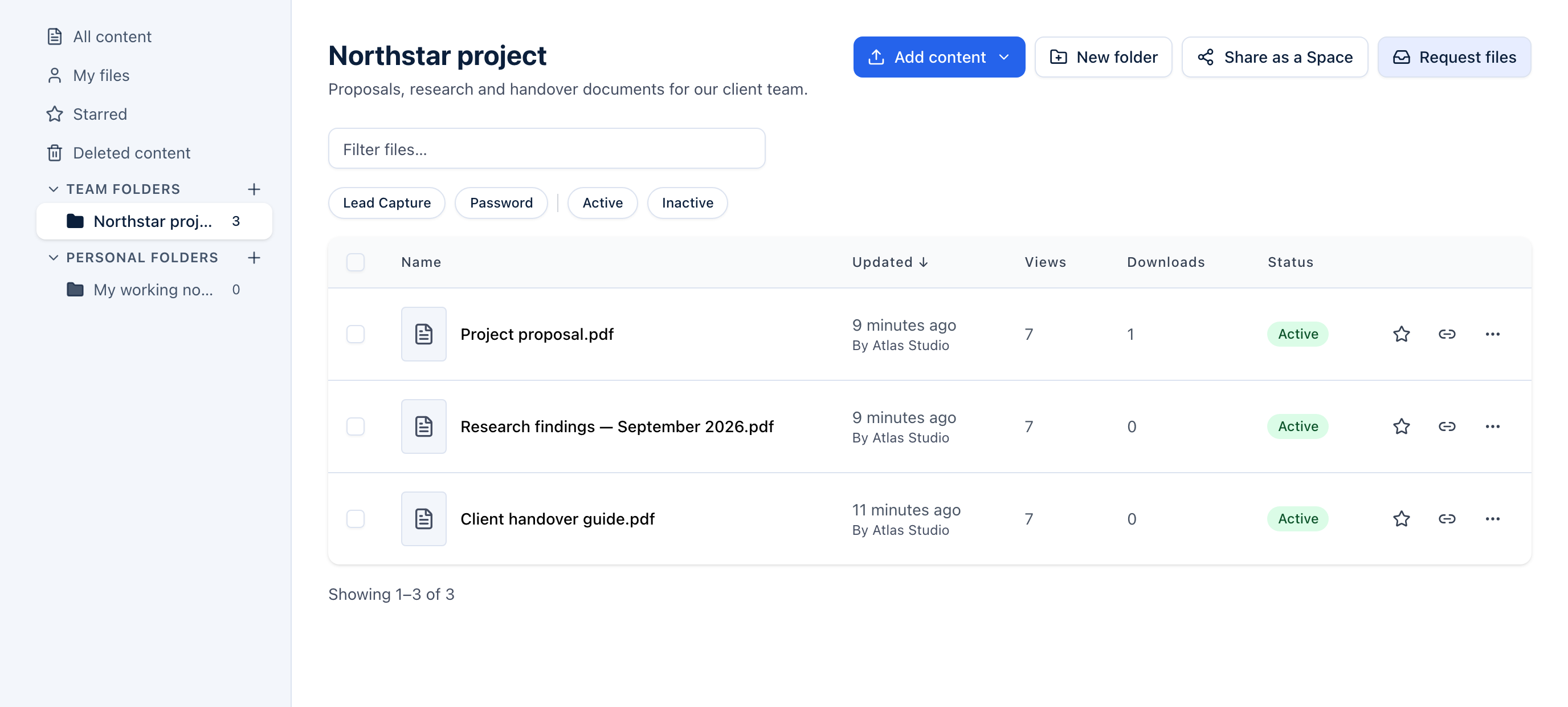
Choose a proposal, report or resource. Give it a place in your library.
Collect contact details with a form, or ask for a password. Set an expiry or download limit when you need one.
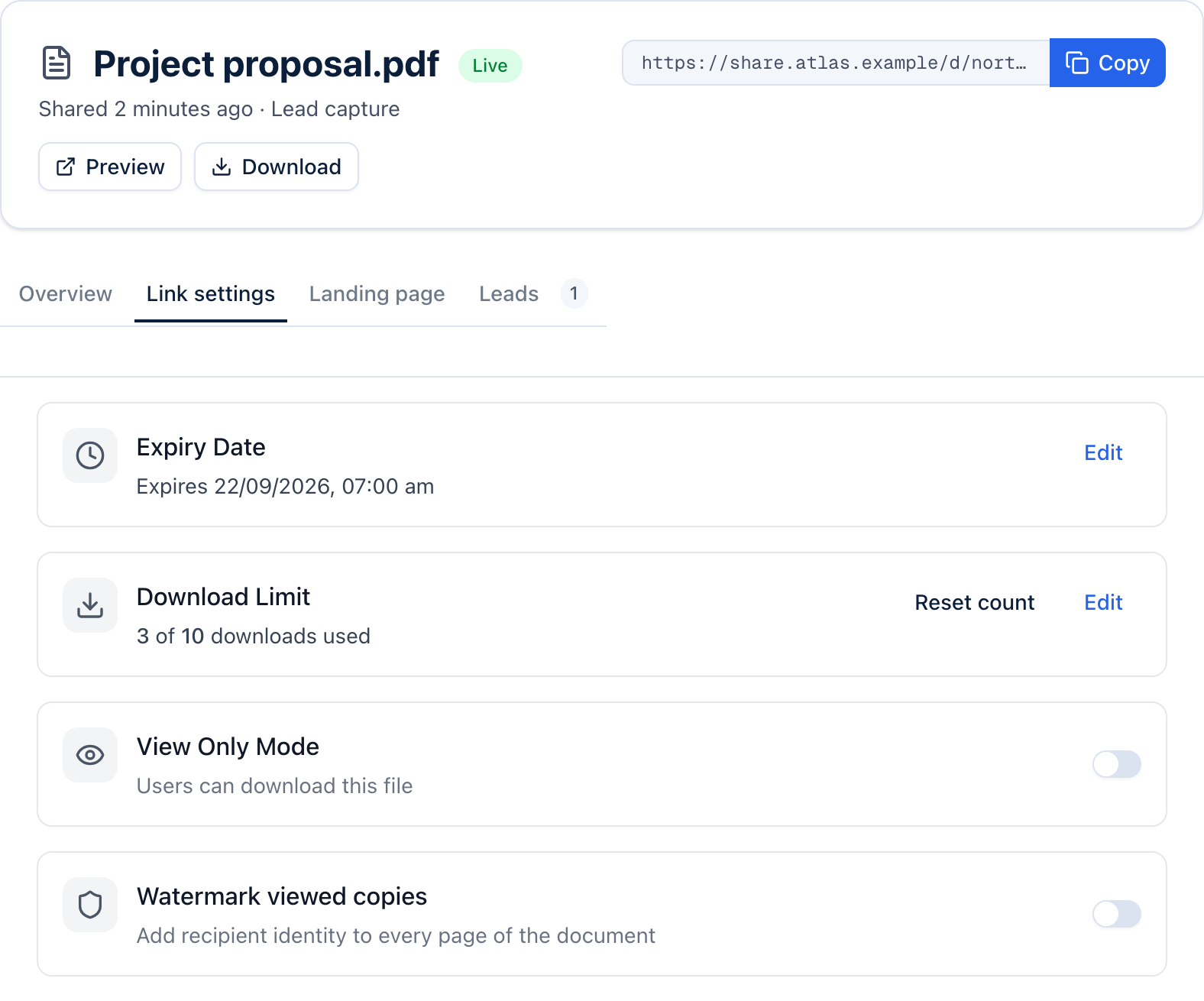
Check your expiry, download limit and current count. Paste your link into an email or message. You can pause it or adjust these settings later.
Turn sharing into progress
Know where
to follow up.
See views and downloads alongside the contact details people submit. Give your next conversation a little more context.
Explore document analyticsKeep the work together
One space.
Everything they need.
Bring related files together in one shared page. Send a proposal and its supporting documents, or give a client a clear place to start.
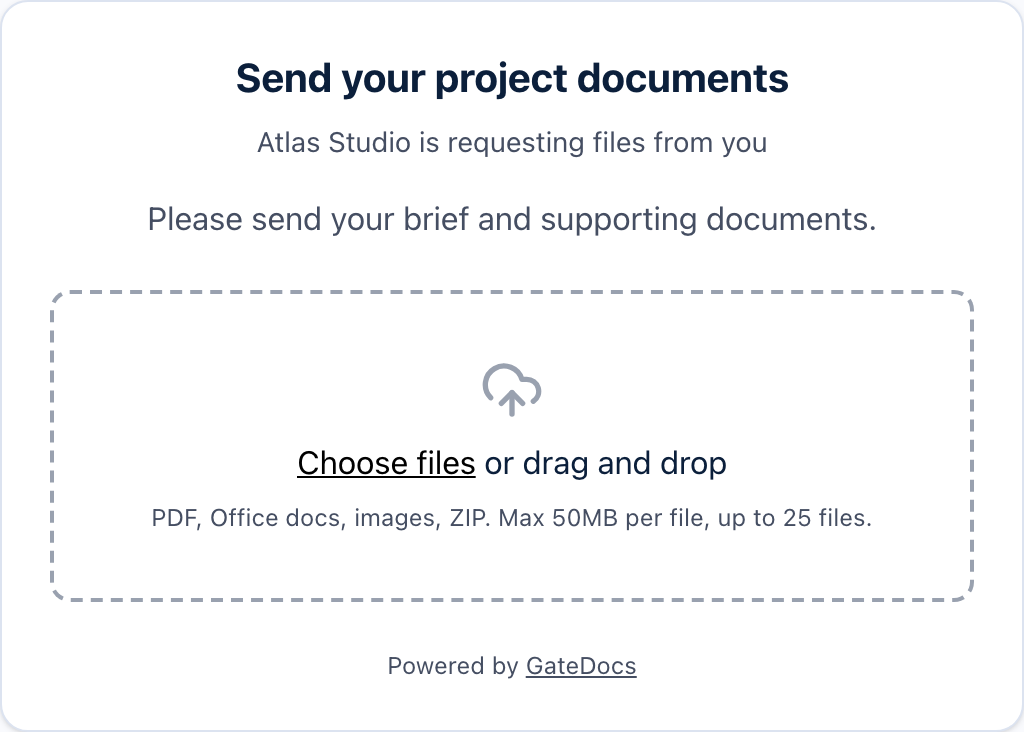
Need documents back? Request files for your Space. Review what arrives, then choose what to add.
Spaces and file requests are on Pro and above.
Explore file requests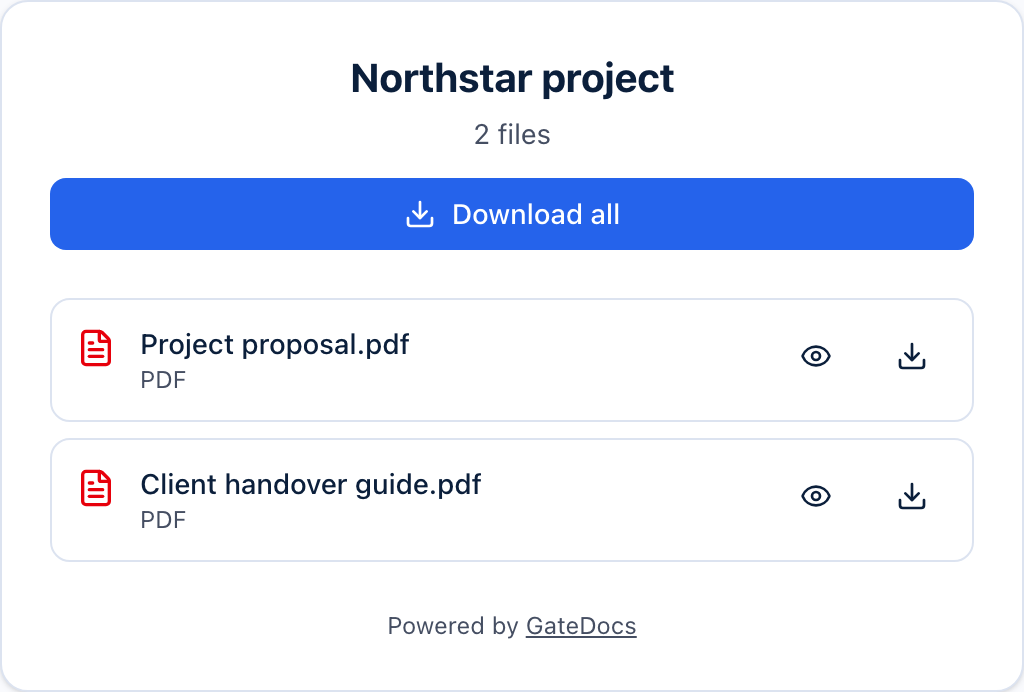
REST API access and signed webhooks are available on Business.
Read the docsBuilt for work that moves forward
From documents
to real outcomes.
Whether you’re winning work, raising funds or sharing what you know, make the next step easier.
Sales proposals
Share your proposal and collect the details you need to follow up.
Client deliverables
Bring reports, handover packs and project files together.
Investor decks
Share investment materials with access controls and document activity.
Marketing content
Turn a useful guide or resource into a new point of contact.
A little less friction
Start with
your first file.
The Free plan includes lead capture, password protection and basic analytics.
- 10 files
- 3 lead-capture links
- 50 leads a month
More room for your team?
Pro is $29 USD a month, billed monthly.
Frequently asked questions
What file types can I share?
PDFs, Microsoft Office documents (Word, Excel, PowerPoint), images (PNG, JPG, GIF), and ZIP archives. Maximum file size is 50 MB. Office documents are automatically converted for preview.
How does lead capture work?
When you enable lead capture on a file, recipients see a form before they can access the download. You choose which fields to collect — typically email, name, and company. Captured leads appear in your dashboard and can be exported to CSV, or pushed to your CRM via webhooks on the Business plan.
Do recipients need an account?
No. Recipients never need a GateDocs account. They visit the link, complete the form or enter the password, and access the file immediately.
How are files and contact details protected?
You choose a contact form or password for access, and can set link expiry and download limits. Files are held in private storage. Read our security and privacy pages for details on hosting, access controls and how contact data is handled.
Can I use my own branding and domain?
Yes. On Pro and above, upload your logo, set your brand colours, and connect a custom domain. Every download page reflects your brand, not ours — served from your own domain.
What are spaces?
Spaces let you bundle multiple files into a single branded page with one share link. Gate the entire space behind a single form — ideal for proposals, onboarding packs, and resource libraries. Spaces are available on Pro and above; Free accounts can view and share any spaces they already have but cannot create new ones.
What happens when I reach my file limit?
New uploads are blocked once you reach your plan's file limit — files you've already shared keep working for you and your recipients. To upload more, delete files you no longer need or upgrade your plan.
Can I request files from clients?
Yes, on Pro and above. Send a file request link and the recipient uploads directly — no account required. Files land in your library first, so you review everything before adding it to a space or sharing it further.
Share files.
Start conversations.
Give your documents a clearer path to the people who need them.
Get started freeNo credit card required.