Document Library
Good work deserves a place.
Keep proposals, reports and project files organised in Team and Personal folders. Find what you need, then decide what to share.
Start on Free. Team collaboration on Pro and above.
01 / Organise
Give each project a home.
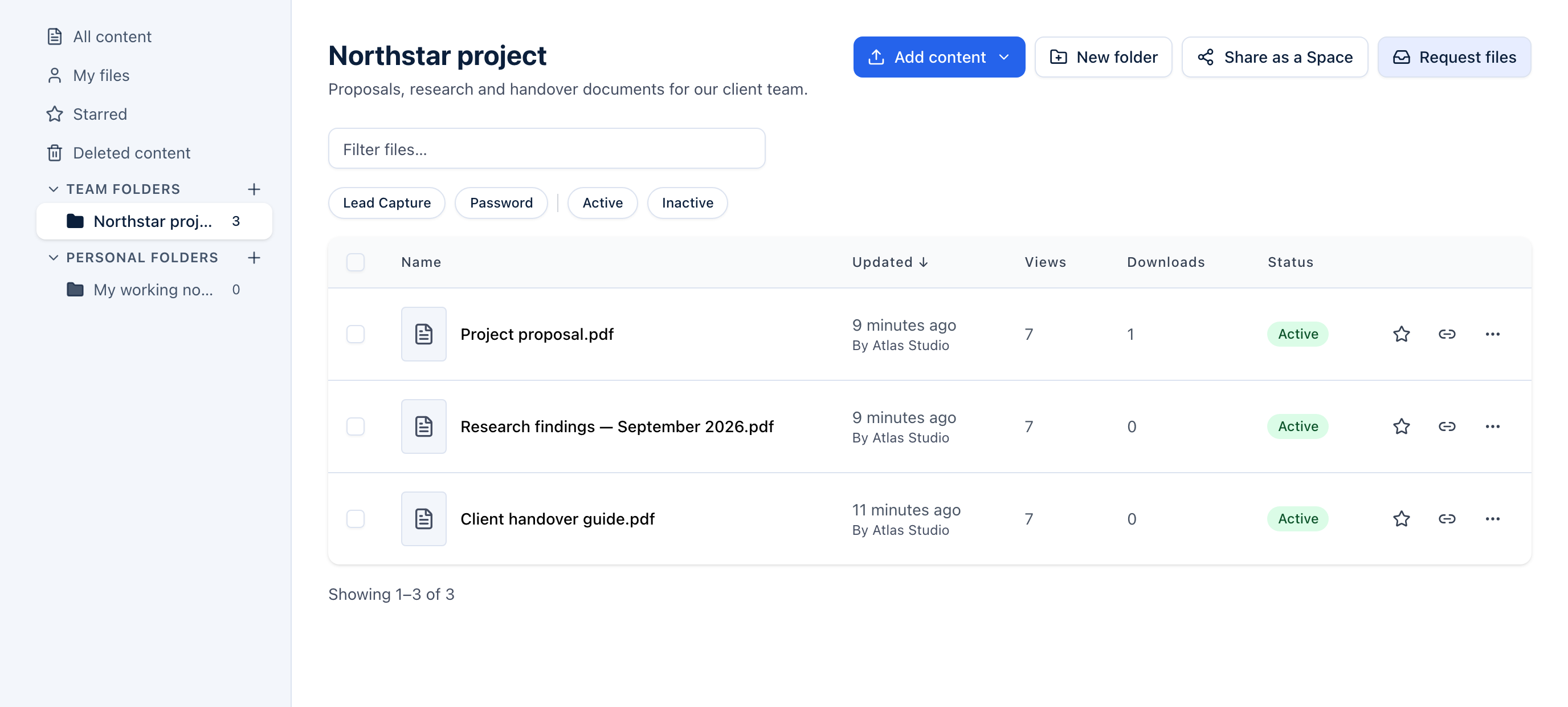
Group related documents in a folder. Use nested folders for a larger project, star the files you return to, and filter the library when you need something specific.
02 / Work together
Room for the team. Space for your own work.
Team folders give people in your organisation a shared place to organise files. Personal folders keep your own folder navigation separate. Choose the right home as you add each file.
03 / Share a collection
From your folder to their Space.
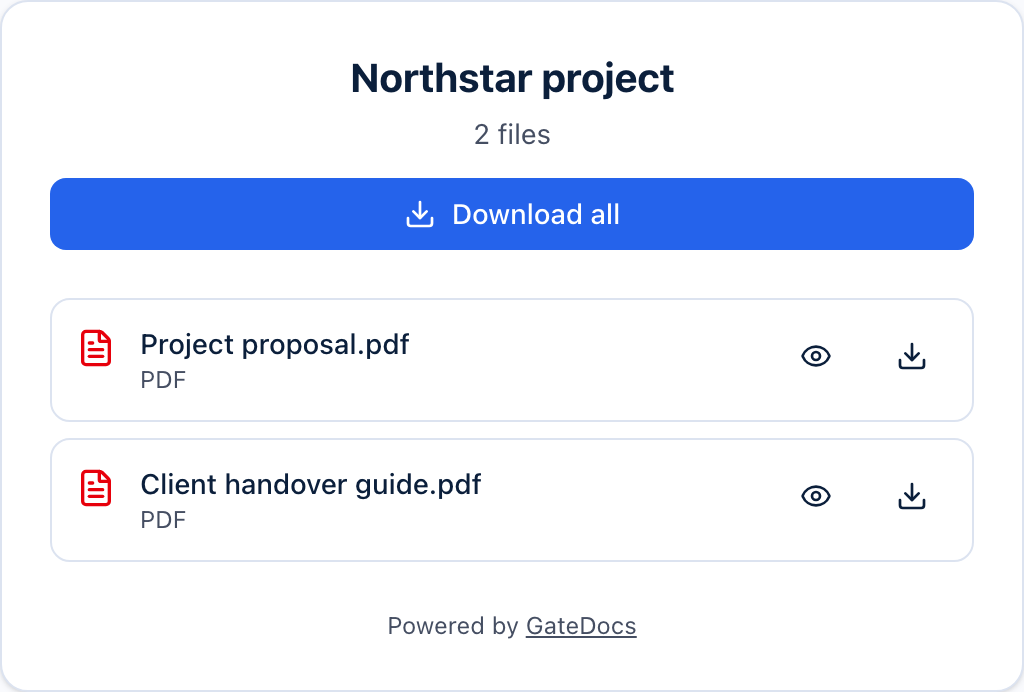
An admin can use Share as a Space to create a recipient page from a folder’s active files. Choose what belongs in that collection and manage the Space as the project progresses.
A little more detail
Good questions.
What is the difference between a folder and a Space?
Folders organise your internal library. A Space is a page you share with recipients through a link. A Team folder does not make its files public; recipients access the files you choose to share.
Does a Space stay in sync with its folder?
Share as a Space creates a collection from the active files in the folder at that point. Later folder changes do not automatically sync. Add or remove files in the Space when you want to update what recipients see.
Who can use Team and Personal folders?
Team folders are available to members of your organisation. Personal folders appear for the person who created them. Folder visibility is separate from each document’s recipient access settings.
Which plan do I need?
Free includes 3 folders and one member. Pro and above includes unlimited folders and team collaboration. Shared Spaces and file requests also require Pro or above.