File requests into Spaces
Bring the work back together.
Give clients and collaborators a simple link to send you files. Review what arrives, then add the right documents to your Space.
File requests and shared Spaces are on Pro and above.
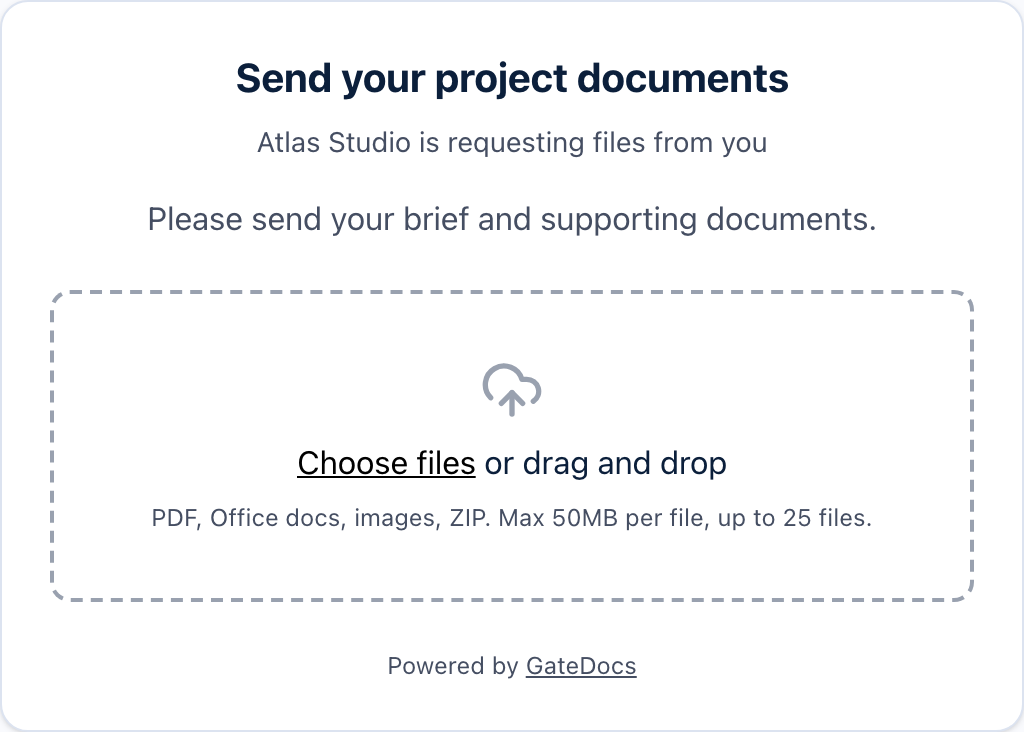
01 / Request
One clear place to send it.
Create a file request from your Space. Add a title and a note explaining what you need, then send the request link to your collaborator.
02 / Receive
Let the files come to you.
Your collaborator enters their name and email, then uploads without a GateDocs account. Received files arrive in your library, with the request and sender details attached.
03 / Review and add
You choose what goes into the Space.
Review the incoming files in the Space’s Requests tab. They do not appear to Space visitors until you choose Add to space. Keep the recipient collection useful and up to date.

A little more detail
Good questions.
Does the person sending files need an account?
No. They can enter their name and email and upload through your request link without a GateDocs account.
Will uploaded files appear in my Space immediately?
No. Received files arrive in your library for review. They do not appear to Space visitors until you choose Add to space from the Requests tab.
Can I collect files into a folder too?
Yes. You can create a request for a library folder as well as for a Space. Use a folder to organise incoming work internally, and a Space when you also need to share a collection with recipients.
Which plan includes file requests?
File requests and shared Spaces are available on Pro and above. The person sending files does not need a paid plan or an account.