Investor decks
Share the deck. Keep the conversation moving.
Give investors a clear way to access your deck. Set the terms of the link and bring the recorded activity into your next conversation.
Access controls on Free. Full analytics on Pro. Watermarking on Business.
01
Choose how the introduction happens.
Use a lead form to ask for contact details, or choose password protection. Add an expiry date and download limit to either option.
02
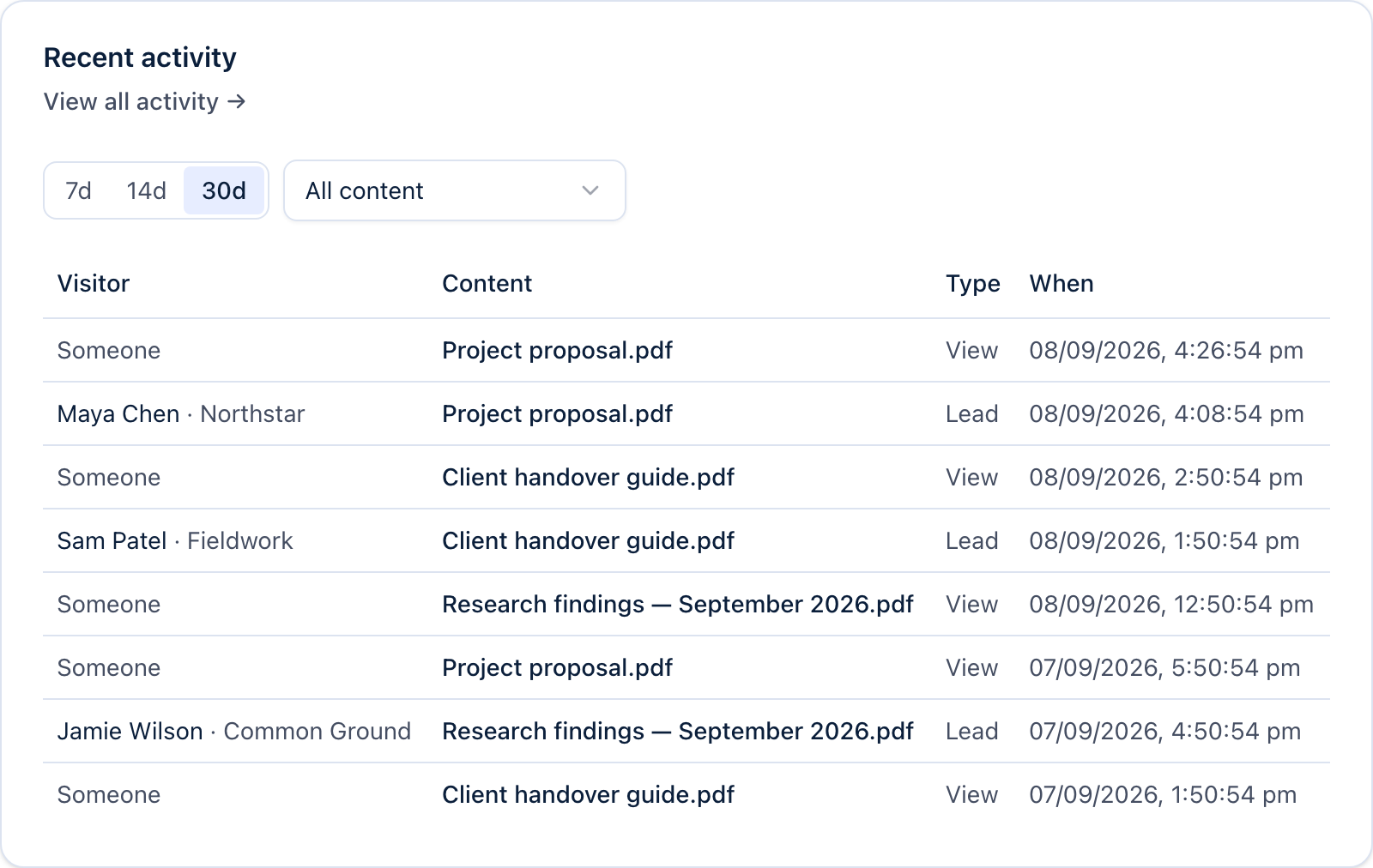
Follow the activity.
Check visits to the shared file page, recorded downloads and submitted forms. Views can be anonymous and do not prove that an investor read the deck.
03
Adjust access as the raise changes.
Pause the link, change its expiry or reset the download count. Business adds recipient watermarking for supported documents. Access controls apply to future access; they cannot recall downloaded copies.
A little more detail
Good questions.
How does GateDocs help with investor decks?
Upload your deck, choose a lead form or password and share the link. Check recorded activity between conversations, then adjust the link’s access settings as your raise progresses.
Can I see which slides investors read?
GateDocs does not currently report individual PDF page views or reading time. Analytics covers document-level visits, downloads and submitted forms. A view can be anonymous and does not confirm that someone read the deck.
What plan do I need for investor decks?
Free includes password protection, expiry dates, download limits and basic analytics. Pro and above adds full analytics, your branding and a custom domain. Watermarking requires Business. Compare plans for current prices in your currency.
See current pricing